
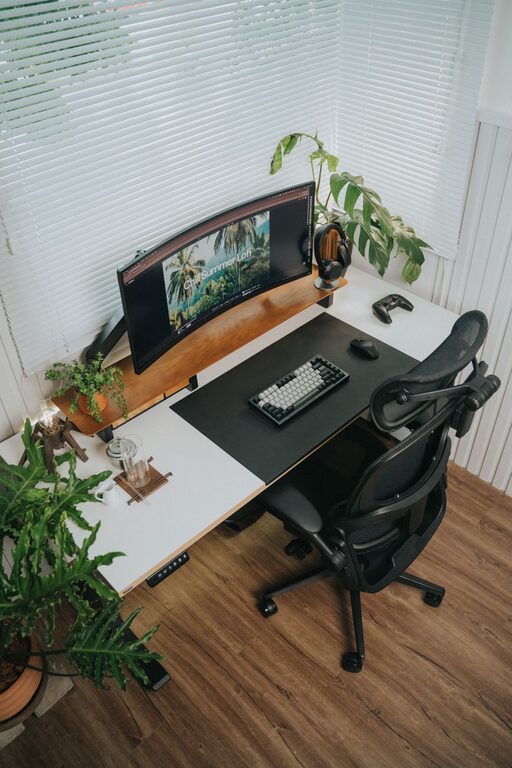
Creating a desk setup that supports both focus and comfort is essential for productivity and overall well-being, whether you work from home or in an office. The right environment helps reduce distractions, prevent discomfort, and boost efficiency throughout your day. In this post, we’ll explore practical tips to set up your desk space with comfort and concentration in mind.
Why Desk Setup Matters
Your workspace directly impacts how you feel and perform. An organized, ergonomic desk can reduce physical strain and mental clutter. On the other hand, a poorly arranged desk can lead to discomfort, fatigue, and loss of focus. Investing a little time and thought into your setup pays off with better work quality and less stress.
Ergonomic Basics for Comfort
Ergonomics is about arranging your workspace to fit your body’s needs. Here are key principles to create a comfortable desk setup:
Chair and Posture
– Choose an adjustable chair that supports your lower back.
– Sit with feet flat on the floor or on a footrest.
– Keep knees at roughly a 90-degree angle.
– Maintain a straight, relaxed posture — shoulders back, not slouched.
Desk and Monitor Height
– Your desk height should allow your elbows to rest comfortably at a 90-degree angle.
– Position your computer monitor at eye level about an arm’s length away to reduce neck strain.
– Use a monitor stand or adjustable desk if needed.
Keyboard and Mouse Placement
– Place your keyboard and mouse close enough to avoid reaching.
– Keep wrists straight and relaxed.
– Consider ergonomic keyboards or mouse pads with wrist support.
Organizing Your Desk for Focus
A cluttered workspace can distract and overwhelm you. Organizing your desk helps keep your mind clear and focused.
Keep Essentials Within Reach
– Store frequently used items like pens, notebooks, or your phone nearby but not in your immediate line of sight.
– Use desk organizers or small containers to group related items.
Minimize Visual Clutter
– Limit non-work-related items on your desk.
– Use cable management tools to hide cords and reduce mess.
– Keep your desktop and screen free of unnecessary open tabs or files.
Utilize Vertical Space
– Install shelves or wall organizers to free up desk surface.
– Hang a whiteboard or corkboard for notes, reminders, or inspiration.
Lighting and Environment
Proper lighting and environment contribute to comfort and alertness.
Natural Light
– Position your desk near a window if possible to benefit from natural light.
– Use sheer curtains to reduce glare without blocking light.
Task Lighting
– A desk lamp with adjustable brightness can reduce eye strain.
– Choose warm or neutral-white bulbs for a calming effect.
Noise and Temperature
– Use noise-canceling headphones or white noise machines if you’re in a noisy environment.
– Maintain a comfortable room temperature to stay alert and relaxed.
Personalizing Your Workspace Thoughtfully
Adding personal touches can make your workspace inviting without distracting.
– Include plants to improve air quality and add a calming natural element.
– Display meaningful photos or artwork but keep it minimal.
– Use calming colors for your desk accessories or wall art.
Take Breaks and Move
Even with the best setup, taking regular breaks is essential.
– Follow the 20-20-20 rule: every 20 minutes, look at something 20 feet away for 20 seconds.
– Stand up, stretch, or walk around every hour to reduce stiffness.
– Consider a sit-stand desk to alternate positions during the day.
Quick Checklist for Your Desk Setup
– Ergonomic chair with lumbar support
– Monitor at eye level, arm’s length away
– Keyboard and mouse positioned for relaxed arms and wrists
– Decluttered and organized desk surface
– Good lighting with a mix of natural and task light
– Minimal distractions and noise control
– Personal touches that inspire without clutter
– Plan for movement and breaks throughout the day
Final Thoughts
Designing a desk setup that promotes focus and comfort isn’t complicated, but it does require attention to details about ergonomics, organization, and environment. By applying these tips, you can create a workspace that supports your health, productivity, and overall satisfaction with your workday. Take a little time today to evaluate your current setup and make adjustments—you’ll likely notice the positive difference right away.
About the Author